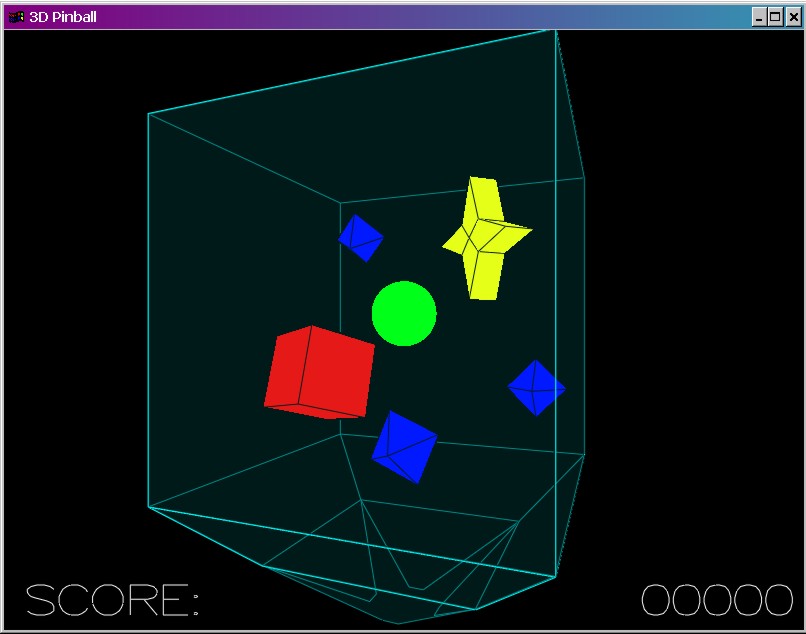
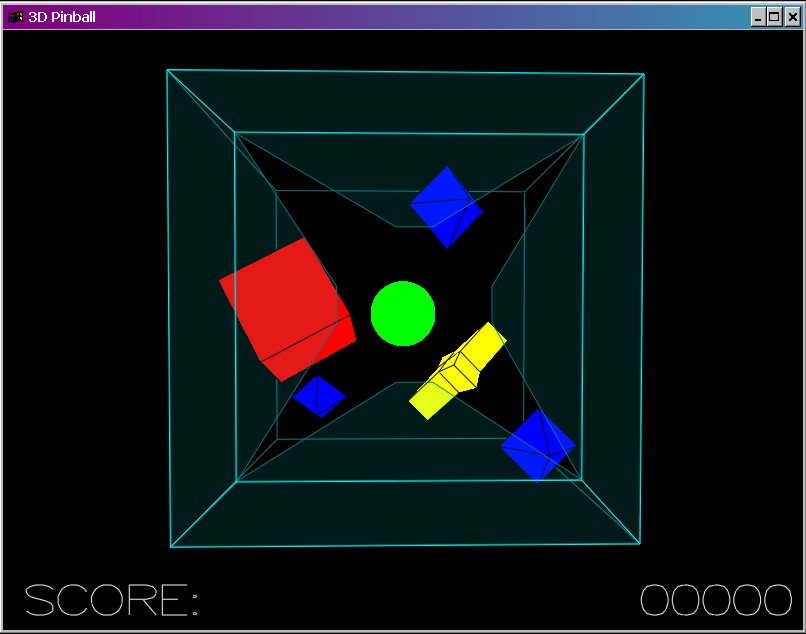
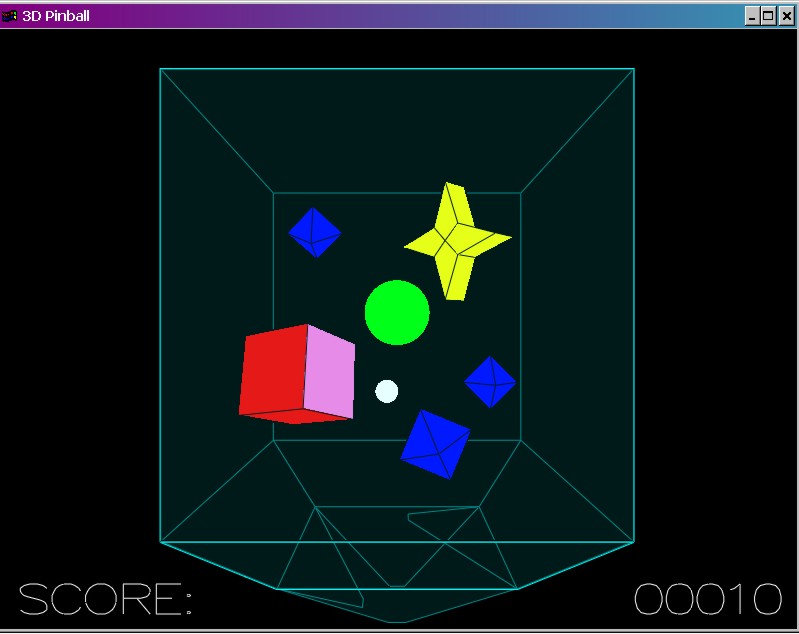
Megan Rible's Vertical 3D Pinball Game
Welcome friends, strangers, and cs148 graders! You have arrived at my
glorious webpage to demonstrate my OpenGL game of low-gravity 3D pinball.
Guess what I've named it? - Vertical 3D Pinball...isn't it original?!
DESCRIPTION:
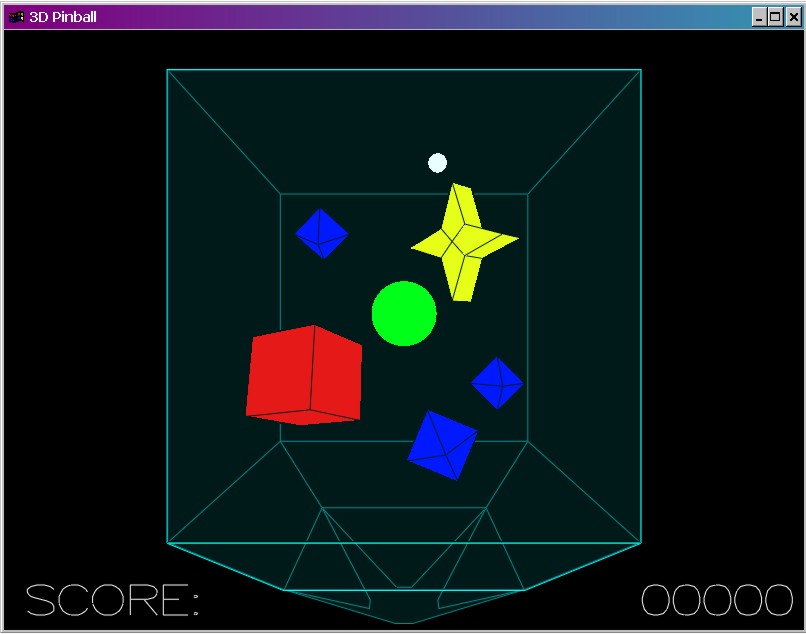
Actually, my game is a lot different from normal pinball, and it is supposed
to be. Instead of two flippers, there are four of them, and they are
located at the bottom of a cubic "glass" game machine. The ball emerges
magically from the center sphere, traveling at a random velocity. There
are 5 objects in the machine which the ball can bounce off of, gaining points
as a result. The center sphere retains it's magical nature, so whenever
the ball enters the sphere, it emerges once again at random velocity.
Basically, the point of the game is to keep the ball inside the machine as
long as possible, racking up the points. Because of the low gravity
(which enhances bouncing fun!) many typical "pinball" strategies are useless.
This is a very different game, but I think it can be just as fun once you
get the hang of it. The most difficult part is seeing where the ball
is. The machine is semi-transparent and the mouse can be used to rotate
it to any viewing angle, but there are still times that it seems as if the
ball should be hitting your flipper when it is actually already out of the
machine. Fear not, it gets easier (after hours, and hours, and hours....).
INSTRUCTIONS:
The game itself is fairly straightforward, it just takes practice with getting
used to the flippers. Start by just hitting all of them a bunch - it's
a good strategy until you understand which flipper the ball is heading towards.
The game opens with the main view of the machine. To start the game:
hit the space bar; this causes the ball to be shot out of the center sphere.
(hint...you can hit this at any point in the game to cheat...my boyfriend
does it all the time).
Left flipper: "a"
Right flipper: "d"
Closer flipper: "s"
Farther flipper: "w"
The entire game is played with the left hand, leaving the right free to use
the mouse for changing the view angle. Of course, if you spin the machine
it is no longer intuitive as to which flipper is which. In my opinion,
the game actually is quite fun if you leave it in its starting position.
You can exit at any time by pressing "q"
SETUP:
Running the executable: Make sure that the .wav files are in the same
folder as the .exe so that the program will recognize them.
Running the source code: I have used some Microsoft-specific functions
for key strokes and sounds, so you will need to use Microsoft Visual C++ to
run this (at least, I think it's necessary, best do so to be on the
safe side). All source code is in C, the language of the gods, and
all said source code should be located in the same file as the .dsw. That
is, except for glut, etc., which are in the VC98 library thanks to the helpful
instructions on the cs148 website. All .wav files should also be in the
same folder.
TECHNICAL INFO:
Please let me take a moment to impart to you some valuable knowledge that
I have gleaned in writing this program: collisions suck!
Okay, now that that is out of my system...COLLISIONS SUCK!!...well,
maybe not completely...
Seriously though, this game turned out to be much more challenging than I
had originally envisioned. The mathematics of 3D bounces is extremely
tricky, and when combined with solid objects rather than infinite points,
many issues had to be solved. Now, I know some people in the cs248
class who implemented full polygonal collisions in their game, but then they
are computer geniuses and I have only been coding for a year, so I figure
it all balances out. At first I used equations to detect intersections
by checking for intersections on the line between the center of the ball and
the radius of the ball in the direction of the ball's velocity. It worked
extremely well without any objects in the machine, but when I added objects,
any time a ball got close to an object that was not directly in the line of
it's motion, it slid right through. It looked really strange to see
the ball slide along the cube half in and half out, so I devised an extremely
convoluted way to get around this problem. It is hard to explain, but
I will try. Each object has both "real" vertices and "drawn" vertices,
and the real vertices are actually located a distance of 1 ball radius from
the drawn vertices. In this way, when the center of the ball collides
with an object, it appears that the edge of the ball is hitting.
The bounces off corners are still not completely accurate in a physical sense,
but for the most part they look how they should in a comparable physical system,
and that is what matters. Of course, I spent so much time getting the bounces
to work that the objects themselves are rather boring, but whatever.
Specifically, each time Idle is called, it calls a function to check for collisions.
This function checks first for collisions between the ball's previous and
current positions, to see if a moving flipper has intersected it, and if not
then it checks for collisions between the current position and the hypothetical
next position along the ball's velocity vector. A collision with the
infinite plane is detected if the distances between each position and the
face of an object have opposite sign, and it is valid if the intersection point
lies on the finite object face. The ball's center is then bounced like
a completely reflective light ray to determine the new velocity, and the ball
is set at the intersection point in order to start its new journey.
If this sounds like gibberish, that's because it is- all geometry is gibberish
in my opinion, but sometimes we just have to set aside our values for a higher
purpose (sigh). Anyway, I believe the collisions work properly now,
but if you have questions just email
me. Often it looks like the ball has spontaneously shot through
a flipper, but after thorough inspection I believe that it is a result of
the transparency, where I'm just not looking at the right angle to see it sneak
into the gap between two flippers.
You will also notice upon a cursory glance at my code that the saved information
for the "machine" is immense. This program would have made more sense
in object oriented programming, but since I don't know any C++ and have yet
to take 108 (yeah, next quarter!), C is what you get. It's unwieldy,
but it works.
Lighting did strange things with my cheesy version of transparency, so I
left it out. It's not supposed to look that realistic anyway, because it's
obviously a highly improbable game - I mean think about it - stationary floating
boxes? Wow, that would be cool though...
note added 12-4-00: I tried to run the program on my home computer and it was reeeaaallly slow. This is partly because, once again, I spent so much time getting collisions to work that I was unable to implement any algorithms to reduce the number of calculations. Also, I wrote my program on a computer with an Athalon 800, GForce2, and 1200x1600 resolution - it looks great for me, but obviously my standards are a little high. :o) So, if the ball is moving as if through molasis, make the window a lot smaller. It's harder to see, but at least you can play the game.
DOWNLOAD:
Now that you're just dying to try it, here is everything you need to play
my game in the comfort of your own home (Mac users, I'm sorry, but I'm afraid
you will be unable to join in the excitement until you join the real world
and buy a PC). Enjoy!! (God, I hope
this works...)
Vertical 3D Pinball - executable only
Vertical 3D Pinball - the whole enchilada
More screen shots: